
School Safety Leaders Discuss Video Surveillance Access and Storage Policies
NCSSD members share district approaches to video surveillance access, monitoring, storage, and footage retention.

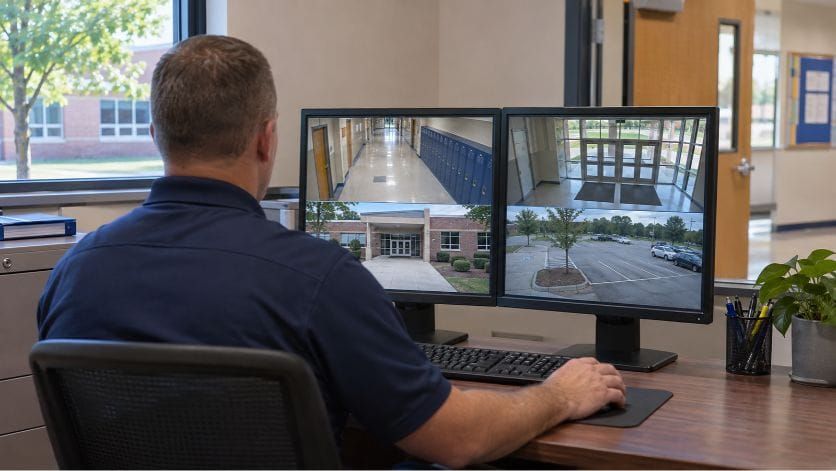
A question about who should have access to school security cameras prompted a discussion among National Council of School Safety Directors (NCSSD) members and led to a Hot Topic roundtable on video surveillance.
An NCSSD member asked colleagues how their districts assign camera access after being told that limiting access to two people was standard practice. Members responded with examples of tiered permissions, live-only views for front-office staff, and separate rules for reviewing or preserving recorded footage.
The subsequent roundtable, facilitated by Jason Stoddard, NCSSD’s immediate past president, expanded the discussion to vendor acquisitions, cloud and on-premises storage, monitoring, law enforcement access, and artificial intelligence.
Explore More
Find more reporting and resources on camera access, privacy, storage, and analytics in our Video Surveillance in Schools Topic Hub.
Who Can Access Live and Recorded Video?
In the written member discussion, several respondents described assigning access according to an employee’s role, building, and need to review recorded footage.
One member said district security leaders, security and operations center personnel, school resource officers (SROs), and the superintendent can access live and recorded video districtwide. School administrators have access for their own campuses, while front-office staff can view selected live cameras on their campus only. Local police dispatch has access to live cameras throughout the district, he added.
Solveig Jurmu, director of safety and security for Illinois' North Shore School District 112 and NCSSD's Government Relations Committee chair, said her district uses a tiered approach to camera access.
“Building leaders and front office staff have access to the cameras for the building they are assigned to,” she wrote.
Jurmu, the director of operations, and cabinet members have districtwide access. An intergovernmental agreement also provides access for police and fire supervisors and dispatchers. Police must contact her before accessing cameras for matters unrelated to school.
Another member listed additional uses tied to staff responsibilities, including front-office staff viewing entrances and parking lots, nurses viewing hallways for children approaching their offices, and buildings and grounds personnel reviewing upkeep needs.
Another member described a process in which security and IT maintain primary authority over live and recorded footage. School administrators and designated operations staff receive access based on their responsibilities, while preservation requests go through security and, when appropriate, legal counsel.
“For us, the goal is to balance operational access with accountability, privacy, and evidence integrity,” the member wrote.
A member from another district said her district provides live displays in front offices, building-level playback for principals and SROs, and districtwide live and playback access for safety and IT personnel. The district was developing procedures for playback and requests to view footage, including requests from parents.
She said routing all requests through the safety office would be cumbersome given the district’s size and number of cameras. The district wanted a clear procedure defining when footage could be shared.
Related Coverage and Resource
When outside organizations request cameras on campus, who controls the footage? Read Should Schools Allow Third Parties to Install Surveillance Cameras on Campus? and explore the accompanying Third-Party Video Surveillance Review Checklist for Schools.
Who Is Watching the Cameras?
Participants described arrangements ranging from dedicated monitoring to viewing cameras alongside other duties.
One roundtable participant described a school with a full-time dispatcher watching cameras during school hours.
Stoddard distinguished between having camera views displayed and continuously monitoring them. Although several large screens in his office display numerous cameras, he said he is not watching them throughout the day.
Stoddard questioned how districts should prioritize dedicated monitoring alongside staffing needs inside school buildings. He also cautioned that descriptions of monitoring can create expectations among families.
“If you put out there that you have full-time monitoring of your cameras, that is exactly what your community expects,” he said.
Those expectations extend to everyday incidents, including altercations and medical events, Stoddard said.
Law Enforcement Access and Privacy
Participants discussed whether police and dispatch centers should receive ongoing live access, emergency access, or recorded footage after an incident.
One roundtable participant supported live access as an additional source of information for law enforcement.
“It’s another set of eyes looking at our cameras that we don’t have to pay someone to watch,” he said.
A member representing law enforcement described camera access established through a contract with the district. The member said SROs had used cameras to investigate campus crimes and relay information during high-risk events, including when they were not near the school.
“Where our biggest issue comes is schools asking us to look up info for discipline or non-criminal events,” the member wrote. “We put that back on the schools.”
Lori Alhadeff, speaking from a school board member’s perspective, described an agreement with the Broward Sheriff’s Office allowing camera access during emergencies. She also encouraged connecting cameras with panic alerts so responders can view the scene.
Stoddard expressed concerns about broader access, including whether responding officers and busy 911 centers would have the capacity to use live feeds while carrying out other duties. He also cited experiences with people accessing footage for personal reasons.
“Just because we can do it doesn’t mean it’s the right thing to do,” he said.
Stoddard said his district shares video on an emergency basis with its real-time crime center, where designated personnel must log in within a secure environment.
Another roundtable participant raised concerns about training. Even dispatchers who know a building and regularly view its cameras can become flustered during scenarios when describing a person’s location or direction of travel, he said.
“They know what they’re looking at, and they still struggle sometimes,” the participant said.
He questioned how someone unfamiliar with a school’s layout, orientation, or names for particular areas would direct responders without regular training.
Vendor Acquisitions and System Compatibility
The roundtable also addressed maintaining access to footage when equipment, software, or vendors change.
Chief Valdimir Talley, representing a large school district in Southeast Central Illinois, described problems connecting older cameras and multiple platforms following vendor acquisitions.
“Networking all three systems has been a nightmare, and it caused my camera surveillance system to go down,” Talley said. “I’m considering a complete overhaul.”
The district’s original standard-definition cameras had been connected to a newer platform rather than replaced, he said. A subsequent acquisition complicated the network connections and coordination with integrators.
“We only discovered the problem after a shooting in a park attached to one of my schools, when everybody was locked out of the system,” he said.
One roundtable participant recommended scheduling major transitions during breaks and completing work one building at a time.
“It really has to be a hands-on approach from the district side with the integrator,” the participant said.
He described a nearby district experiencing problems with cameras going offline and doors unlocking during a system transition.
Stoddard discussed the connections among cameras, video management software, servers, storage, and other systems. Safety directors may not need to maintain those components themselves, he said, but they need technical support from people who understand the integrations.
“You need to have people that you can trust to come in and do these things,” he said.
Cloud vs. On-Premises Storage
A roundtable participant described an outage in a district where he previously worked. Both the primary and secondary internet connections were cut, leaving the district without internet for about a week, but its cameras continued operating on the internal network.
“Our superintendent walks into our security operations center and sees our cameras up and running and has no idea how we’re doing it,” he said.
The participant attributed that continued operation to the district’s on-premises system. A security technician also set up hotspots in the operations center to restore outside connectivity there.
Although some systems can store footage on individual cameras during an internet outage, the participant questioned how staff would retrieve it during an incident if they could not access cloud storage.
Stoddard said his district’s IT staff favor on-premises storage because they believe it gives them greater security and control. He described IT as a partner in developing the system, with the life safety division managing the cameras and his office providing funding and input.
The discussion also addressed retention. Talley said his district keeps 60 days of footage under an existing district policy, rather than a state requirement. Stoddard said his organization had reduced retention to 10 days, while acknowledging occasions when staff wished they had more.
“Examining how long you’re keeping that footage could have a huge financial impact on your decision,” Stoddard said.
He also encouraged participants to review grant restrictions before selecting a storage model, noting that a grant for hardware may not cover monthly subscriptions.
One District’s Move to the Cloud
A roundtable participant said failing on-premises servers prompted his district to change camera systems with input from its technology department. The district previously had servers at individual schools.
Under the district’s cloud agreement, routine footage is retained for 30 days, while footage archived during that period can be saved indefinitely, the participant said.
“We’ve had cases come back a year or two later, and we’ve needed to pull up that footage, and it’s always been great to have,” he said.
With the previous system, adding cameras reduced the amount of footage the servers could retain. The participant said some schools went from about 30 days of retention to less than a week as cameras were added.
The district had not experienced that issue with its cloud system, he said. At the time of the discussion, its agreement was approximately three years old.
Open vs. Closed Architecture
Stoddard asked participants about open architecture, which can accommodate components from different manufacturers, and more closed systems that rely on a vendor’s proprietary products and features.
He raised concerns about limits on vendor choice and potential price increases when a district depends on one provider. One participant recommended evaluating flexibility in partnership with IT.
“Locking yourself into a silo where you can’t add things that you want to add or that your community demands that you have is going to be problematic down the road,” the participant said.
Working With IT and Defining Responsibilities
Another roundtable participant said he consults his IT director before pursuing technology changes, including whether a proposed product would require additional storage or other resources.
Asked whether that relationship existed when he arrived, the participant said, “I had to build that.”
He recommended recurring meetings with colleagues in IT, communications, and building services. When considering a vendor or product, he includes the departments whose responsibilities overlap with the proposed work.
“I can’t do this work alone,” the participant said. He described colleagues in other departments as thought partners when evaluating vendors and technology changes.
In the written discussion, the member who raised the access question also questioned having IT make decisions about camera placement and security use. He said districts should consider what they want the system to accomplish when establishing access rules.
“I get that there needs to be clear roles and kind of a need to know right to know,” the member wrote. He also questioned restrictions that leave front-office staff unable to view live feeds when the few authorized users are unavailable.
Other participants described difficulties obtaining support despite strong relationships between department leaders.
One roundtable participant said his responsibilities include PA systems, access control, cameras, and lighting near cameras. When several cameras stopped working, he was initially directed to the camera vendor, although the problem ultimately involved ports on a network switch.
With several vendors involved, the participant said arranging service could take three days. He also described uncertainty about whom to contact within IT.
“I get along personally with the director of IT,” the participant said. But a good personal relationship had not resolved the delays he experienced, he added.
Talley described a similar distinction between his relationship with the IT director and the support his staff received from individual IT employees.
Stoddard said unresolved issues may require the superintendent to establish expectations and responsibilities. Alhadeff encouraged participants to bring persistent concerns to the board, which can address superintendent accountability and funding.
Testing Capabilities and Communicating Limits
The discussion also covered camera analytics, including gun detection and other automated alerts. Stoddard recommended testing each function on every camera where it will be used, with separate testing for each detection capability.
He cited camera streaming, field of view, pixel density, and other variables that can affect performance. Without testing, he said, districts may not discover a problem until they need the system during an incident.
Stoddard also discussed communicating limitations to families. He recalled a conversation with a family who believed the district’s gun detection system could see through clothing and backpacks.
“It doesn’t read people’s minds, nor does it see through clothes, nor does it see backpacks,” he said.
He anticipated further public scrutiny of school surveillance and AI and encouraged participants to prepare for questions about their use.